
How to Download & Install TikTok Live APK
Android installation, permissions, compatibility and safer download practices.
Read guide →Learn how to install TikTok on Android, understand LIVE eligibility, troubleshoot missing features and prepare for smoother live sessions — all in one practical resource.
Simple instructions for beginners and advanced users.
Understand versions, features and changing requirements.
Practical checks for APK sources and permissions.
Prepare your setup for better LIVE sessions.
Useful troubleshooting for Android devices.
TikTok LIVE is TikTok's real-time broadcasting experience, allowing eligible creators to interact with viewers through live video, comments and other interactive tools. An APK is simply an Android application package; installing one does not automatically grant every LIVE feature. Availability can depend on account eligibility, location, product rollout, device support and TikTok's current rules.
An Android APK can be useful when an official Android distribution is unavailable on a particular device or when a user needs a manual installation route. TikTok itself provides an Android APK through its official download flow and recommends obtaining its APK from TikTok rather than unknown websites. Treat claims such as “100% safe,” “all regions unlocked,” or “guaranteed LIVE access” as claims that require verification, not technical facts.
TikTokLiveAPK.site is an independent information hub for Android users, creators and viewers who need clear answers about TikTok LIVE and APK installation. It covers official download options, Android installation, LIVE eligibility, missing LIVE buttons, account and device troubleshooting, security checks, older versions, storage and performance, and practical creator preparation.
Start with the official TikTok Android download page whenever possible. TikTok publishes its own APK and explicitly advises users to download from TikTok and avoid downloads from other websites or QR codes. If your goal is LIVE access rather than simply installing TikTok, check eligibility and account settings first.
A missing LIVE button can have several explanations. The account may not meet current eligibility requirements; LIVE may not be available in the user's market or account configuration; the app may be outdated; the account may have restrictions; or the interface may have changed. Requirements and product availability can change, so avoid relying on old screenshots or a single follower number presented as universal.
If you install an APK manually, Android may require permission for the browser or file manager that initiated the installation. Menu wording varies by Android version and manufacturer. Download from a source you trust, verify that it is the expected package, review permissions, scan the file when appropriate, and install only when you understand what you are installing.
Security is more important than a download button. APK files can be modified, repackaged or hosted by third parties. Before installing an unfamiliar package, consider the publisher, download source, package identity, requested permissions, file reputation and whether the app behaves as expected. Be especially cautious with packages that request unrelated access or instruct you to disable security features.
TikTok LIVE can include interactive comments, moderation tools, gifts and creator-focused features, but the exact feature set varies by account, region, age, eligibility and product rollout. Creators should prioritize stable upload bandwidth, good lighting, clean audio, moderation, a clear topic and a reliable device rather than assuming another APK is the solution.
These are different use cases. A viewer may be able to watch LIVE content while not being eligible to broadcast. A creator needs to satisfy TikTok's current requirements and may have additional account or feature restrictions. When diagnosing a problem, state exactly what is missing: the LIVE tab, Go LIVE button, LIVE Studio, comments, gifts, or a specific creator tool.
LIVE video is sensitive to network stability. Upload speed, latency, packet loss, Wi-Fi congestion and device performance can affect a stream even when an ordinary speed test looks fine. Keep adequate free storage, close unnecessary background apps, update Android and use a stable connection.
If TikTok does not install, check Android version, package compatibility, storage and whether the file is complete. If the app installs but crashes, remove conflicting older packages and test the official release. If LIVE is missing, check eligibility, account restrictions, location availability and app updates. If an APK asks for unusual access, stop and verify the package.
Search results can contain outdated versions, copied descriptions and exaggerated claims. Compare publication dates, look for transparent ownership, check whether the source distinguishes official from third-party software, and verify technical statements against primary documentation. Do not assume a page is trustworthy because it has security badges or a high download count.
Our editorial approach is intentionally practical. We avoid treating a single APK filename as the answer to every problem. Android software changes quickly, TikTok's feature eligibility can change, and third-party mirrors can disappear or publish stale packages. Articles explain what can be verified, what depends on TikTok's servers, and what a user can test locally.
For readers in Pakistan, India, Bangladesh, the Middle East and other markets, regional availability can be a real source of confusion. A website may claim that one package “unlocks every country,” but a package installed on a phone is not the same thing as changing server-side account eligibility. Regional guides therefore focus on diagnosis, official options and realistic expectations.
For creators, a reliable setup starts with a supported phone, current software, stable upload connectivity, adequate storage, good lighting, an external microphone when appropriate, and moderation controls. Test before an important broadcast. Keep a backup plan for connectivity. Avoid installing unknown utilities immediately before a scheduled LIVE session.
For viewers, security still matters. A stream or download page may ask you to install another application, enable notifications, accept browser permissions or enter account credentials. Those requests should be evaluated independently. Never share a TikTok password with a download website.
This site explains APK, package, version, build, mirror, mod, permissions, signature, checksum, Android compatibility and sideloading. Understanding these terms makes it easier to distinguish a technical statement from marketing language. “Latest” should mean a specific version and date, while “safe” should be backed by an identifiable verification process.
Is TikTok Live APK official? The phrase can refer to an Android package, but third-party “Live APK” downloads are not automatically official. Where should I get TikTok for Android? TikTok's own download page is the safest starting point. Can an APK guarantee LIVE access? No. Is root required? Standard Android APK installation does not inherently require root. Does iPhone use APK? No; APK is an Android package format.
A useful way to think about TikTok LIVE problems is as a stack. The first layer is the account: eligibility, age, restrictions and feature rollout. The second is the service: TikTok's servers decide what capabilities an account receives. The third is the application: the installed TikTok build must support the feature. The fourth is Android: permissions, storage, compatibility and device health. The fifth is the network: upload stability and latency. A good troubleshooting guide tests the layers in that order rather than assuming the APK is always responsible.
This distinction is particularly important because APK search results often promise a single dramatic fix. In reality, software distribution and account authorization are different systems. A package may change which application build is installed, but that does not mean the service will accept a feature request from every account. When a website claims otherwise, look for evidence, a precise version, a date and a clear explanation of what changed.
For security, the download page itself is part of the threat model. A visitor can be exposed before an APK is installed. Suspicious pages may use fake download buttons, browser notification prompts, misleading redirects, fake verification steps or credential forms. A professional information site should make it easy to distinguish editorial content from an actual software download and should never need a TikTok password to provide general installation instructions.
The same principle applies to “virus scanned” claims. A scan is useful evidence, but a scan result is not a guarantee of authenticity, future safety or absence of every threat. The strongest approach combines source provenance, publisher identity, package integrity, permissions, independent scanning and normal application behavior. If several signals disagree, stop rather than selecting the most convenient one.
Android settings also vary. Samsung, Xiaomi, Oppo, Vivo, OnePlus, Google Pixel and other devices can use different labels for the same installation permission. An article should therefore describe the concept rather than pretending every phone has identical menus. If your device uses different wording, search its official support documentation for “install unknown apps” rather than following a random screenshot from an old article.
Creators should separate software setup from production quality. A broadcast can fail because of upload instability even when TikTok is installed perfectly. Likewise, a stream can technically work but still perform poorly because the microphone is distant, the room is noisy, the phone is overheating or the subject is poorly lit. A dependable LIVE workflow is a combination of software, hardware, network and preparation.
If a feature disappears after an update, document the change before rolling back. Record the installed version, Android version, account behavior and exact error. Then test the official current release on the same account. This gives you useful evidence. Randomly installing several versions destroys that evidence and can introduce package conflicts.
Readers should also distinguish between an APK and a mod APK. An APK can be an official application package. A mod APK generally means someone modified the application. Modification can change behavior, remove advertisements, alter interfaces or add functions, but it also changes the trust boundary. The original publisher no longer controls every line of code in the installed package.
Search engines reward useful answers when they are clear, specific and internally consistent. That is why this website uses topic clusters instead of repeating the same keyword. The homepage introduces the subject, while dedicated guides answer installation, security, eligibility, regional questions, creator workflows, old versions and troubleshooting. Each article is designed to satisfy a distinct search intent.
A strong content site should also admit uncertainty. TikTok's product rules, Android's security model and software versions change. An article written today can become partially outdated. Rather than pretending permanent certainty, this site encourages readers to verify current details through primary sources. That makes the content more durable and more useful than a page built entirely around a single version number.
A useful way to think about TikTok LIVE problems is as a stack. The first layer is the account: eligibility, age, restrictions and feature rollout. The second is the service: TikTok's servers decide what capabilities an account receives. The third is the application: the installed TikTok build must support the feature. The fourth is Android: permissions, storage, compatibility and device health. The fifth is the network: upload stability and latency. A good troubleshooting guide tests the layers in that order rather than assuming the APK is always responsible.
This distinction is particularly important because APK search results often promise a single dramatic fix. In reality, software distribution and account authorization are different systems. A package may change which application build is installed, but that does not mean the service will accept a feature request from every account. When a website claims otherwise, look for evidence, a precise version, a date and a clear explanation of what changed.
For security, the download page itself is part of the threat model. A visitor can be exposed before an APK is installed. Suspicious pages may use fake download buttons, browser notification prompts, misleading redirects, fake verification steps or credential forms. A professional information site should make it easy to distinguish editorial content from an actual software download and should never need a TikTok password to provide general installation instructions.
The same principle applies to “virus scanned” claims. A scan is useful evidence, but a scan result is not a guarantee of authenticity, future safety or absence of every threat. The strongest approach combines source provenance, publisher identity, package integrity, permissions, independent scanning and normal application behavior. If several signals disagree, stop rather than selecting the most convenient one.
Android settings also vary. Samsung, Xiaomi, Oppo, Vivo, OnePlus, Google Pixel and other devices can use different labels for the same installation permission. An article should therefore describe the concept rather than pretending every phone has identical menus. If your device uses different wording, search its official support documentation for “install unknown apps” rather than following a random screenshot from an old article.
Creators should separate software setup from production quality. A broadcast can fail because of upload instability even when TikTok is installed perfectly. Likewise, a stream can technically work but still perform poorly because the microphone is distant, the room is noisy, the phone is overheating or the subject is poorly lit. A dependable LIVE workflow is a combination of software, hardware, network and preparation.
If a feature disappears after an update, document the change before rolling back. Record the installed version, Android version, account behavior and exact error. Then test the official current release on the same account. This gives you useful evidence. Randomly installing several versions destroys that evidence and can introduce package conflicts.
Readers should also distinguish between an APK and a mod APK. An APK can be an official application package. A mod APK generally means someone modified the application. Modification can change behavior, remove advertisements, alter interfaces or add functions, but it also changes the trust boundary. The original publisher no longer controls every line of code in the installed package.
Search engines reward useful answers when they are clear, specific and internally consistent. That is why this website uses topic clusters instead of repeating the same keyword. The homepage introduces the subject, while dedicated guides answer installation, security, eligibility, regional questions, creator workflows, old versions and troubleshooting. Each article is designed to satisfy a distinct search intent.
A strong content site should also admit uncertainty. TikTok's product rules, Android's security model and software versions change. An article written today can become partially outdated. Rather than pretending permanent certainty, this site encourages readers to verify current details through primary sources. That makes the content more durable and more useful than a page built entirely around a single version number.
A useful way to think about TikTok LIVE problems is as a stack. The first layer is the account: eligibility, age, restrictions and feature rollout. The second is the service: TikTok's servers decide what capabilities an account receives. The third is the application: the installed TikTok build must support the feature. The fourth is Android: permissions, storage, compatibility and device health. The fifth is the network: upload stability and latency. A good troubleshooting guide tests the layers in that order rather than assuming the APK is always responsible.
This distinction is particularly important because APK search results often promise a single dramatic fix. In reality, software distribution and account authorization are different systems. A package may change which application build is installed, but that does not mean the service will accept a feature request from every account. When a website claims otherwise, look for evidence, a precise version, a date and a clear explanation of what changed.
For security, the download page itself is part of the threat model. A visitor can be exposed before an APK is installed. Suspicious pages may use fake download buttons, browser notification prompts, misleading redirects, fake verification steps or credential forms. A professional information site should make it easy to distinguish editorial content from an actual software download and should never need a TikTok password to provide general installation instructions.
The same principle applies to “virus scanned” claims. A scan is useful evidence, but a scan result is not a guarantee of authenticity, future safety or absence of every threat. The strongest approach combines source provenance, publisher identity, package integrity, permissions, independent scanning and normal application behavior. If several signals disagree, stop rather than selecting the most convenient one.
Android settings also vary. Samsung, Xiaomi, Oppo, Vivo, OnePlus, Google Pixel and other devices can use different labels for the same installation permission. An article should therefore describe the concept rather than pretending every phone has identical menus. If your device uses different wording, search its official support documentation for “install unknown apps” rather than following a random screenshot from an old article.
Creators should separate software setup from production quality. A broadcast can fail because of upload instability even when TikTok is installed perfectly. Likewise, a stream can technically work but still perform poorly because the microphone is distant, the room is noisy, the phone is overheating or the subject is poorly lit. A dependable LIVE workflow is a combination of software, hardware, network and preparation.
If a feature disappears after an update, document the change before rolling back. Record the installed version, Android version, account behavior and exact error. Then test the official current release on the same account. This gives you useful evidence. Randomly installing several versions destroys that evidence and can introduce package conflicts.
Readers should also distinguish between an APK and a mod APK. An APK can be an official application package. A mod APK generally means someone modified the application. Modification can change behavior, remove advertisements, alter interfaces or add functions, but it also changes the trust boundary. The original publisher no longer controls every line of code in the installed package.
Search engines reward useful answers when they are clear, specific and internally consistent. That is why this website uses topic clusters instead of repeating the same keyword. The homepage introduces the subject, while dedicated guides answer installation, security, eligibility, regional questions, creator workflows, old versions and troubleshooting. Each article is designed to satisfy a distinct search intent.
A strong content site should also admit uncertainty. TikTok's product rules, Android's security model and software versions change. An article written today can become partially outdated. Rather than pretending permanent certainty, this site encourages readers to verify current details through primary sources. That makes the content more durable and more useful than a page built entirely around a single version number.
A useful way to think about TikTok LIVE problems is as a stack. The first layer is the account: eligibility, age, restrictions and feature rollout. The second is the service: TikTok's servers decide what capabilities an account receives. The third is the application: the installed TikTok build must support the feature. The fourth is Android: permissions, storage, compatibility and device health. The fifth is the network: upload stability and latency. A good troubleshooting guide tests the layers in that order rather than assuming the APK is always responsible.
This distinction is particularly important because APK search results often promise a single dramatic fix. In reality, software distribution and account authorization are different systems. A package may change which application build is installed, but that does not mean the service will accept a feature request from every account. When a website claims otherwise, look for evidence, a precise version, a date and a clear explanation of what changed.
For security, the download page itself is part of the threat model. A visitor can be exposed before an APK is installed. Suspicious pages may use fake download buttons, browser notification prompts, misleading redirects, fake verification steps or credential forms. A professional information site should make it easy to distinguish editorial content from an actual software download and should never need a TikTok password to provide general installation instructions.
The same principle applies to “virus scanned” claims. A scan is useful evidence, but a scan result is not a guarantee of authenticity, future safety or absence of every threat. The strongest approach combines source provenance, publisher identity, package integrity, permissions, independent scanning and normal application behavior. If several signals disagree, stop rather than selecting the most convenient one.
Android settings also vary. Samsung, Xiaomi, Oppo, Vivo, OnePlus, Google Pixel and other devices can use different labels for the same installation permission. An article should therefore describe the concept rather than pretending every phone has identical menus. If your device uses different wording, search its official support documentation for “install unknown apps” rather than following a random screenshot from an old article.
Creators should separate software setup from production quality. A broadcast can fail because of upload instability even when TikTok is installed perfectly. Likewise, a stream can technically work but still perform poorly because the microphone is distant, the room is noisy, the phone is overheating or the subject is poorly lit. A dependable LIVE workflow is a combination of software, hardware, network and preparation.
If a feature disappears after an update, document the change before rolling back. Record the installed version, Android version, account behavior and exact error. Then test the official current release on the same account. This gives you useful evidence. Randomly installing several versions destroys that evidence and can introduce package conflicts.
Readers should also distinguish between an APK and a mod APK. An APK can be an official application package. A mod APK generally means someone modified the application. Modification can change behavior, remove advertisements, alter interfaces or add functions, but it also changes the trust boundary. The original publisher no longer controls every line of code in the installed package.
Search engines reward useful answers when they are clear, specific and internally consistent. That is why this website uses topic clusters instead of repeating the same keyword. The homepage introduces the subject, while dedicated guides answer installation, security, eligibility, regional questions, creator workflows, old versions and troubleshooting. Each article is designed to satisfy a distinct search intent.
A strong content site should also admit uncertainty. TikTok's product rules, Android's security model and software versions change. An article written today can become partially outdated. Rather than pretending permanent certainty, this site encourages readers to verify current details through primary sources. That makes the content more durable and more useful than a page built entirely around a single version number.
The most important practical lesson is to diagnose before downloading. If the app itself will not install, investigate Android compatibility and package integrity. If the app installs but the LIVE button is absent, investigate account eligibility and service availability. If LIVE opens but the stream is unstable, investigate upload quality and device performance. These are different problems and deserve different solutions.
The most important practical lesson is to diagnose before downloading. If the app itself will not install, investigate Android compatibility and package integrity. If the app installs but the LIVE button is absent, investigate account eligibility and service availability. If LIVE opens but the stream is unstable, investigate upload quality and device performance. These are different problems and deserve different solutions.
A trustworthy site should also make its limitations obvious. We cannot see a reader's TikTok account, know its eligibility state, or guarantee that a feature is available in a particular market. We can explain the factors that usually matter, show how to test them, and point readers toward primary documentation when a decision depends on current platform policy.
A trustworthy site should also make its limitations obvious. We cannot see a reader's TikTok account, know its eligibility state, or guarantee that a feature is available in a particular market. We can explain the factors that usually matter, show how to test them, and point readers toward primary documentation when a decision depends on current platform policy.
For searchers comparing download pages, transparency is a useful signal. Look for a clear publisher, a specific version, an update date, a real editorial identity, contact information, security explanations and a distinction between official and third-party software. Be more skeptical when a page uses only superlatives such as fastest, safest, newest, unlocked or guaranteed without evidence.
For searchers comparing download pages, transparency is a useful signal. Look for a clear publisher, a specific version, an update date, a real editorial identity, contact information, security explanations and a distinction between official and third-party software. Be more skeptical when a page uses only superlatives such as fastest, safest, newest, unlocked or guaranteed without evidence.
The site identity is intentionally independent. The name describes the subject users are searching for, but the site does not present itself as TikTok or use official-looking claims. That distinction helps readers understand that the content is guidance rather than a statement from the platform owner.
The site identity is intentionally independent. The name describes the subject users are searching for, but the site does not present itself as TikTok or use official-looking claims. That distinction helps readers understand that the content is guidance rather than a statement from the platform owner.
Technical guides should remain useful even when software changes. Version-specific details can age quickly, while principles such as verifying provenance, checking permissions, separating account eligibility from installation, testing network stability and protecting credentials remain useful. The content architecture therefore combines evergreen troubleshooting with pages that can be updated when product behavior changes.
Technical guides should remain useful even when software changes. Version-specific details can age quickly, while principles such as verifying provenance, checking permissions, separating account eligibility from installation, testing network stability and protecting credentials remain useful. The content architecture therefore combines evergreen troubleshooting with pages that can be updated when product behavior changes.
If you are a creator, prepare before you need the feature. Test camera and microphone access, check upload stability, charge the phone, close unnecessary applications, verify moderation settings and keep a backup connection. This checklist reduces the temptation to install a random package minutes before an important broadcast.
If you are a creator, prepare before you need the feature. Test camera and microphone access, check upload stability, charge the phone, close unnecessary applications, verify moderation settings and keep a backup connection. This checklist reduces the temptation to install a random package minutes before an important broadcast.
If you are a viewer, remember that download security is still relevant. You do not need creator privileges to be targeted by fake login forms or malicious download pages. Never trade account credentials for a download, and do not assume that a page is legitimate because it uses TikTok branding or a familiar-looking interface.
If you are a viewer, remember that download security is still relevant. You do not need creator privileges to be targeted by fake login forms or malicious download pages. Never trade account credentials for a download, and do not assume that a page is legitimate because it uses TikTok branding or a familiar-looking interface.
If you are researching an older APK, preserve evidence. Note the exact version, source, date, Android version and error message before changing anything. A controlled comparison is much more informative than repeatedly installing unrelated packages. If the older version solves a problem, investigate what changed rather than treating the old build as a permanent security-safe solution.
If you are researching an older APK, preserve evidence. Note the exact version, source, date, Android version and error message before changing anything. A controlled comparison is much more informative than repeatedly installing unrelated packages. If the older version solves a problem, investigate what changed rather than treating the old build as a permanent security-safe solution.
This website is also structured for answer engines and AI search systems: important questions are stated directly, definitions appear near the top of relevant sections, FAQs use clear question-and-answer language, and related articles form a coherent topical cluster. Structured data is included where it accurately describes the page, while avoiding invented reviews, ratings or download statistics.
This website is also structured for answer engines and AI search systems: important questions are stated directly, definitions appear near the top of relevant sections, FAQs use clear question-and-answer language, and related articles form a coherent topical cluster. Structured data is included where it accurately describes the page, while avoiding invented reviews, ratings or download statistics.
For responsible SEO, the site avoids fake social proof and unsupported claims. It does not manufacture download counts, fake security badges, pretend to be an official TikTok property, or copy competitor paragraphs. Search visibility should come from useful information, clean technical implementation, internal linking and consistent topical coverage.
For responsible SEO, the site avoids fake social proof and unsupported claims. It does not manufacture download counts, fake security badges, pretend to be an official TikTok property, or copy competitor paragraphs. Search visibility should come from useful information, clean technical implementation, internal linking and consistent topical coverage.
Practical articles for installation, LIVE access, security, regional questions and creator setup.
Android installation, permissions, compatibility and safer download practices.
Read guide →
Check eligibility, account status, region, app version and device settings.
Read guide →
A practical checklist for APK provenance, permissions and account protection.
Read guide →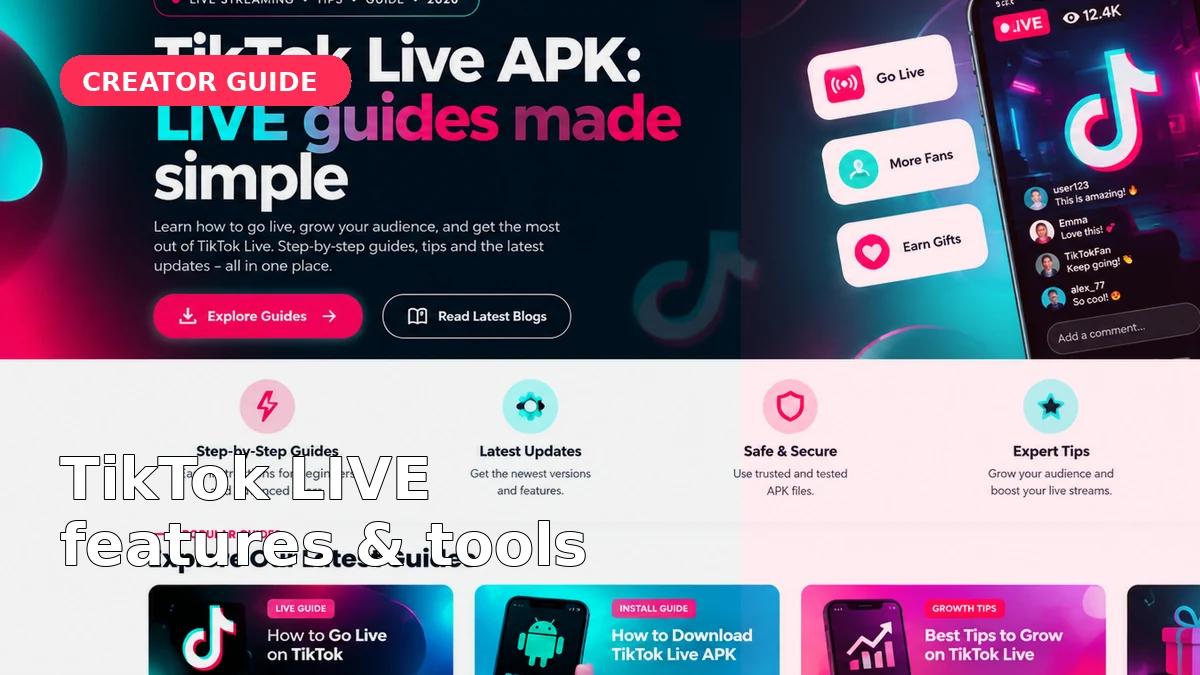
Understand broadcasting, moderation, gifts, setup and network stability.
Read guide →